Brynka Mail Runs

Scheduled mail runs, tracked stop by stop.

Set up your routes once: stations, stops, days and times. Clerks scan each stop on their phone to record what was picked up and delivered, and managers see how every route is performing.

Schedule a Demo Download the brochure (PDF)
How it works

1

Set up your routes

Create stations and stops by location, and add the days and times each run is active.

2

Scan at every stop

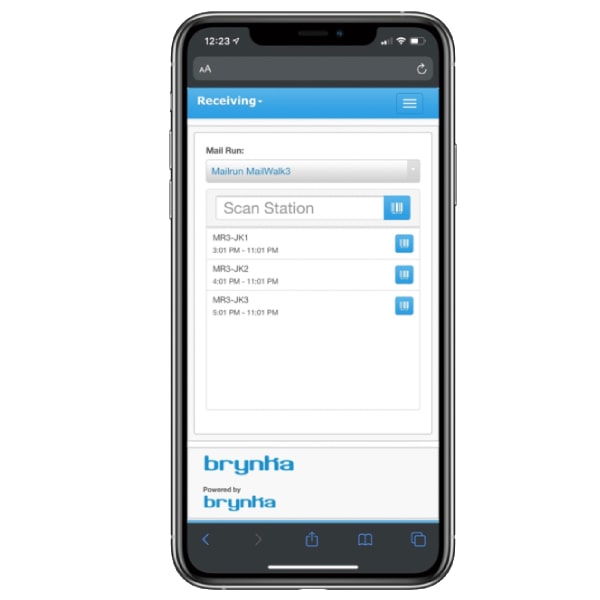
Clerks scan each station with the Brynka mobile app and record items picked up and delivered. Stops can be added on the fly, and the app keeps working without an internet connection, syncing when it’s back.

3

See how routes perform

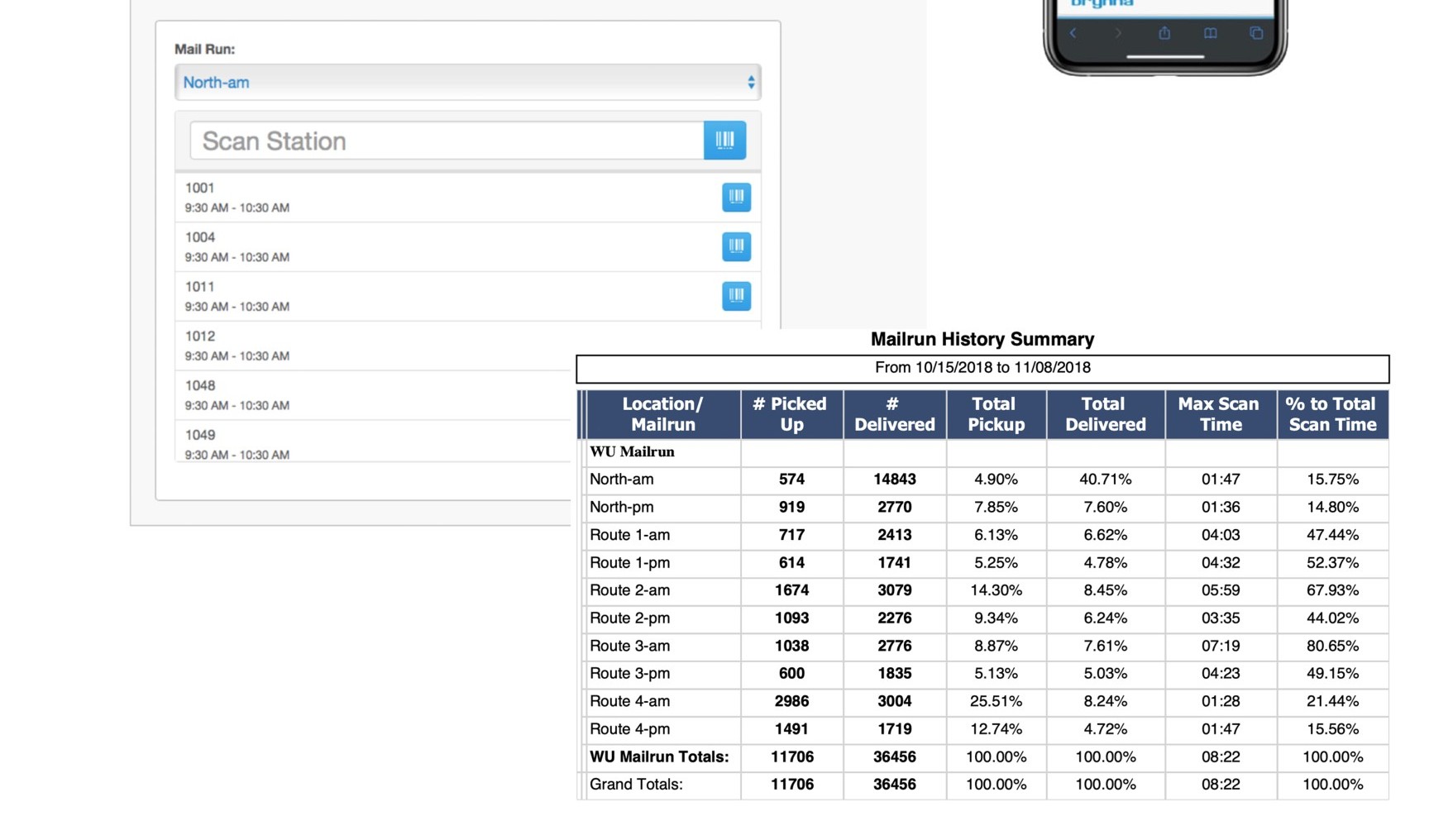
The Mailrun History Summary shows pickups, deliveries and scan time for every route over any date range.

What it does

Stations and stops by location

Organize every run around the places your team actually visits.

Schedules

Add days and times for active deliveries on each route.

Stops on the fly

Add a stop from the field when a new pickup comes up.

Stop times

View the stop times for every station on a run.

Pickup and delivery records

Record every item picked up and delivered, for full chain of custody.

Route reporting

Compare pickups, deliveries and scan time across all your routes for any date range.

See it in action

Brynka Mail Run station scan screen and Mailrun History Summary report by route

The station scan screen and the Mailrun History Summary report (sample data).

Works with the rest of Brynka

One cloud-based system, with full chain of custody from the loading dock to the recipient.

See Mail Runs with your own workflow

A 30-minute demo, tailored to how your mail center works today.

Schedule a Demo